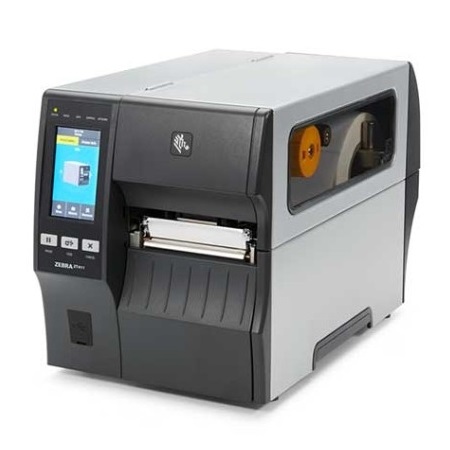
Why this one
Two of these cost the same.
The base machine is $2,298. The other two are both $3,299 — the same $1,001 more, for two upgrades that have nothing to do with each other. Buying the wrong one is easy and it is not obvious afterwards.
01
The base — USB, Ethernet, serial and Bluetooth
A printer on the network that a system prints to, or on a cable to one PC. For most warehouse label work this is the whole answer, and the two upgrades below are for specific problems rather than general improvement.
02
Peel with full rewind, for a labelling line
Separates the label from its backing as it prints and winds the liner up inside, so an operator takes a label ready to apply instead of peeling it first. Worth the money where somebody labels a carton every few seconds. Zebra fits this at the factory only, so unlike the wireless option it cannot be added later.
03
Wireless, for a printer that has to move
Same $1,001, entirely different reason. This is for a bench that moves, a mezzanine nobody wants to run cable to, or a site where the network points are already spoken for. It does nothing for how the label comes out — and peel and rewind does nothing for where the printer can sit.
04
And this is only where it starts
Three part numbers are priced above; the ZT411 is ordered from a wider list than that. Resolution comes in 203, 300 or 600 dpi. Wireless comes in two generations — Wi-Fi 6 with Bluetooth 5.3, or Wi-Fi 5 with Bluetooth 4.2 — and which one you want depends on the access points you already have rather than on the printer. Media handling is a peeler, a cutter, a liner take-up, or full rewind, and they are not the same thing: a cutter separates labels, a peeler presents one ready to apply, and the take-up and rewind decide what happens to the backing. Tell us the job and we will tell you the part number.
It runs both kinds of label. Like every industrial machine, this one does direct thermal and thermal transfer both — load a ribbon or do not, and the printer does not care. Buying it is not a commitment to buying ribbons forever. Which stock goes in it is decided by how long the label has to survive, and that is settled on the labels page, not here.
Four inches or six? That is the only question between this and the ZT421, and the answer is your widest label. What surprises people is that the narrower machine is the quicker one — 14 inches per second against 12 — and that several options are ZT411-only: a 600 dpi printhead, a 25 mm core hanger for small rolls, ink-side-in ribbons, and Zebra's on-metal RFID kit. If your labels fit in four inches, this is not the compromise.