BARCODE DATALINK Since 1991

Home/Labels/Pre-printed

Pre-printed labels · printed here in Berowra

You may not need a printer at all.

A thousand products to get onto retail shelves is not a reason to buy a label printer, a ribbon, design software and an afternoon learning all three. It is a reason to get a thousand labels.

Send us the barcode numbers and what the label should say. We print them on our own Zebra industrial machines, box them, and send them to you. You stick them on and start selling.

The arithmetic

What a printer actually costs before it prints anything.

Not to talk you out of one — we sell them, and for the right job they are the cheaper answer by a wide margin. But the right job is not every job.

Buying a printer

Machine, ribbon, stock, software, learning

A desktop printer, a ribbon that has to match the stock, a roll of the right size on the right core, and something to design the label in. Then somebody has to learn it well enough to produce a barcode that scans first time.

Worth every minute if you are printing every week for years. A lot of work for one run of a thousand.
Having them printed

A spreadsheet and a delivery

You send the numbers and the wording. We set it up, print it, check one against a scanner, and send you a box. Nothing to buy, nothing to learn, and nothing sitting on a shelf afterwards.

The usual size is 51 × 35 mm and the usual run is a thousand, but neither is a rule.

What we can and cannot print

Black, on whatever colour you like.

Said plainly up front, because it is the one thing that decides whether we are the right people for the job.

01

One colour, one pass

A thermal transfer printer has one printhead and one ribbon. That means black print, in one pass, and it covers barcodes, text, part numbers, sequential numbering and simple logos — which is most of what a product label needs to do.

02

Colour comes from the stock

The colour on the label is the label, not the ink. White, yellow, red and the other stocks we carry. That is how a colour-coded run gets done here — black print on coloured material, which is how most warehouse colour coding works anyway.

03

Full colour is somebody else

If you need a photograph, a four-colour brand panel or a printed gradient, that is a print shop rather than a barcode company, and we will tell you so rather than take the job and disappoint you. We would still rather quote the barcode part of it.

Every run gets scanned before it leaves. A barcode that looks right and does not read is worth less than no label at all, because you find out at the till or at the customer's dock. We check one off the run with a scanner, and the whole point of buying printed labels rather than printing them yourself is that this is our problem.

Photographed 21 August 2026

This is the machine.

Our own ZM400 in Berowra, printing the demonstration label above. Not a stock photograph — the whole job is three steps and here they are.

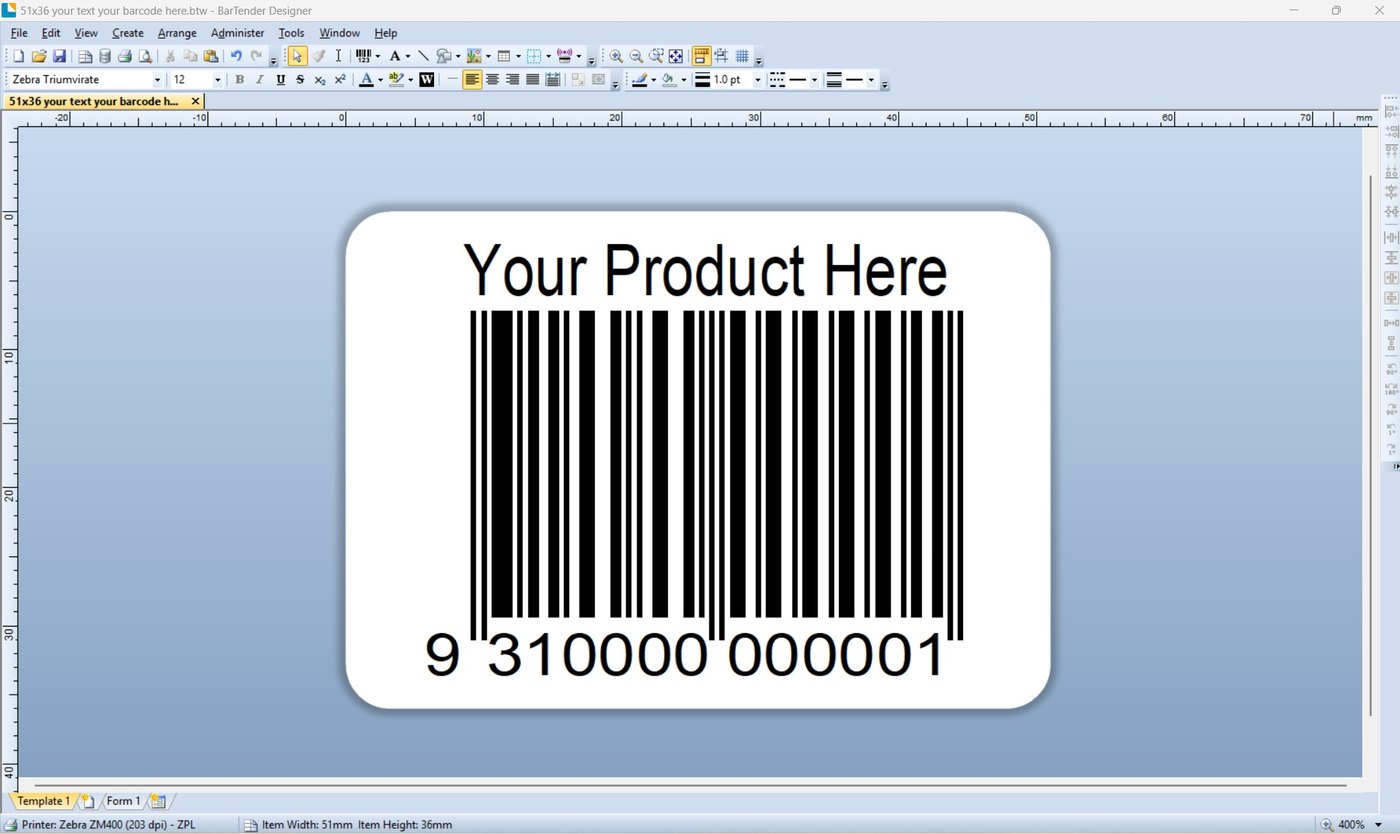
A BarTender Designer window showing a 51 by 36 millimetre label with the words Your Product Here above an EAN-13 barcode. The status bar reads Printer: Zebra ZM400 203 dpi, ZPL.
We do the setup. Your text, your barcode, on the size you need — here 51 × 36 mm, aimed at the ZM400 at 203 dpi. This is the part you would otherwise be buying software to do, and the part you never have to see.
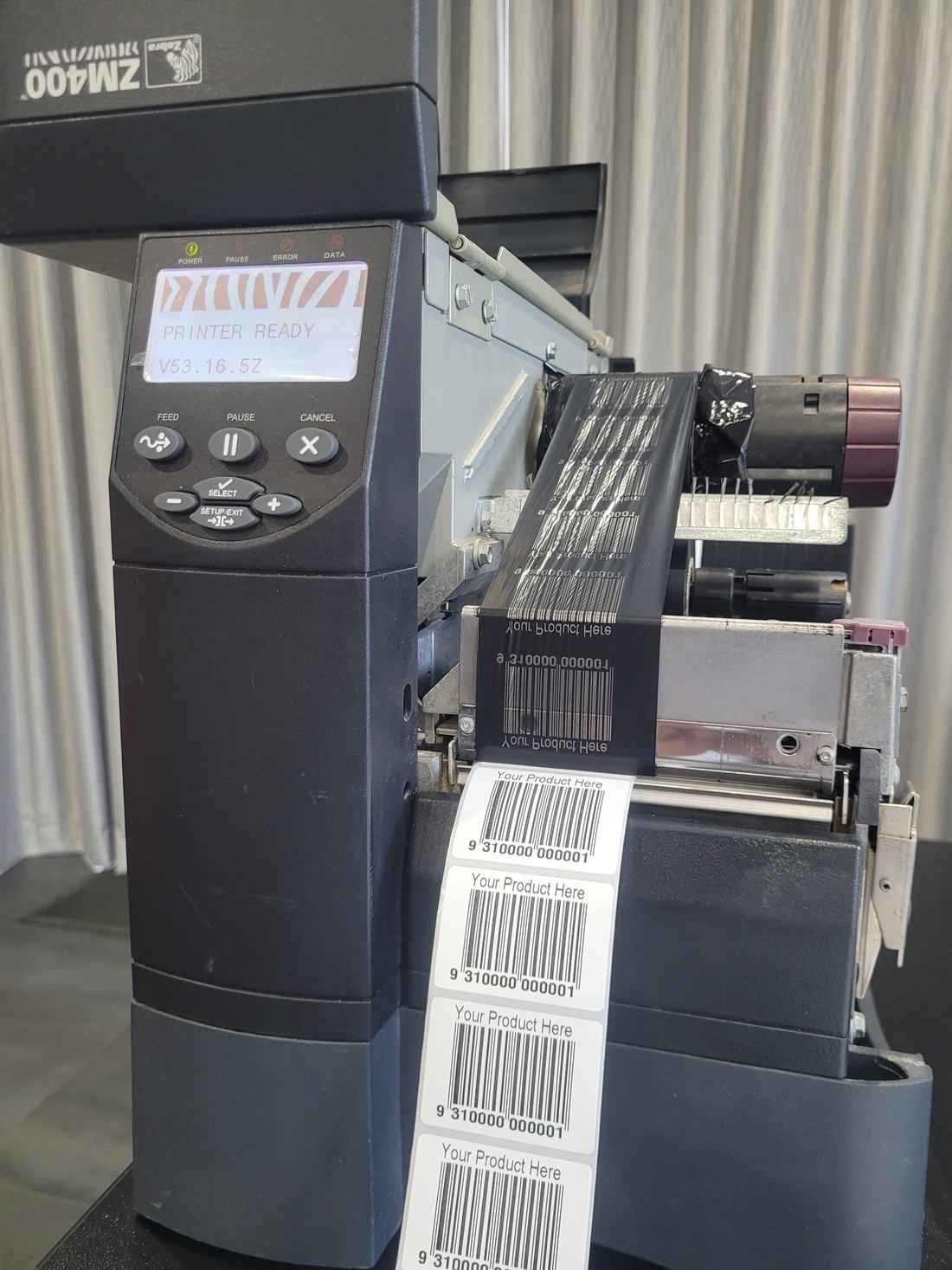
A Zebra ZM400 industrial printer with its cover open, display reading PRINTER READY. The used ribbon carries a mirrored image of every label printed, and a strip of finished labels comes out of the front.
Look at the ribbon. Every label it has just printed is on there in reverse. That is what thermal transfer is — black lifted off a ribbon and melted into the label, which is why it does not fade the way a direct thermal label does.
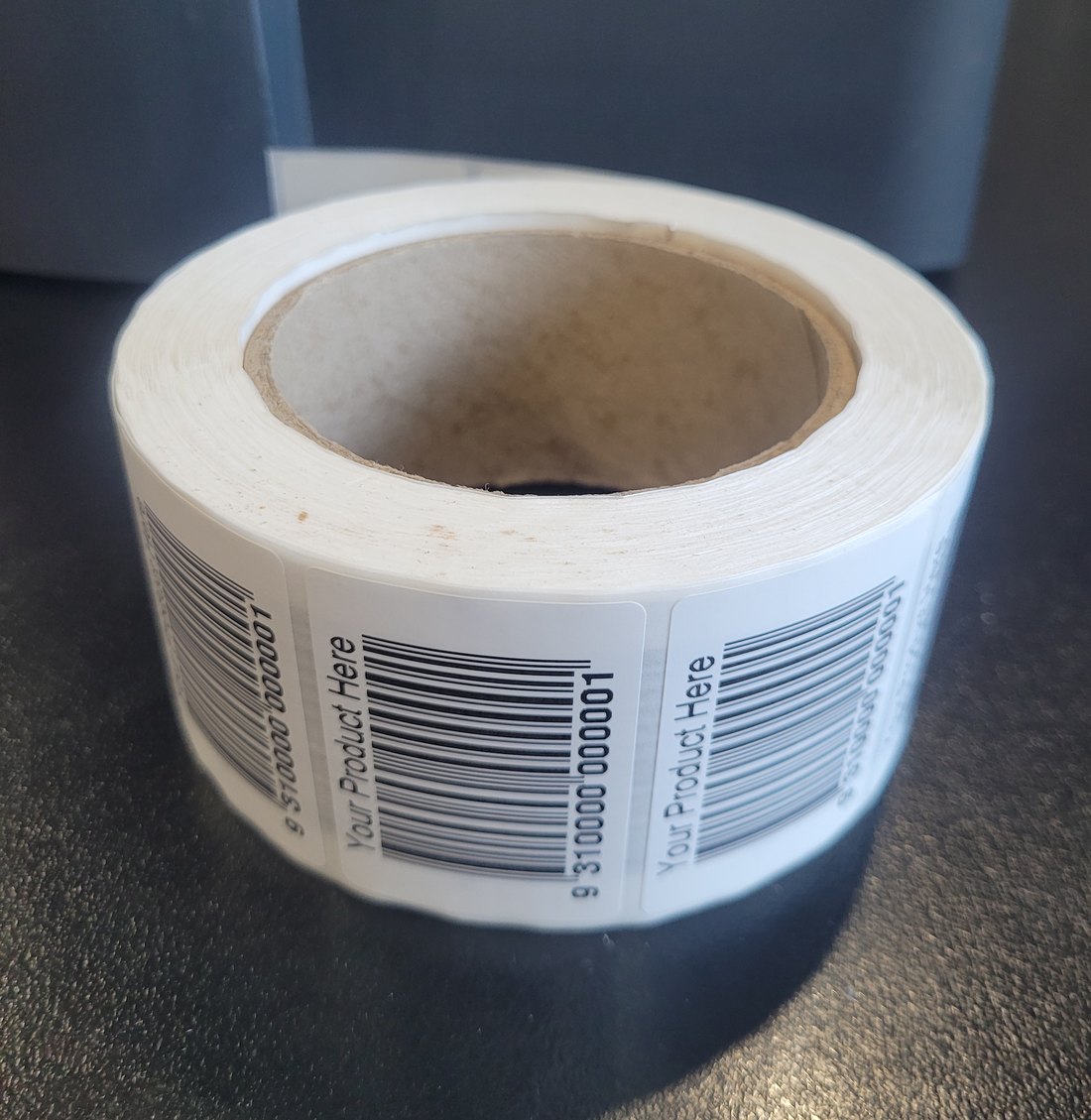
A finished roll of printed labels on a cardboard core, wound and sitting on a bench, each label reading Your Product Here above a barcode.
And this is what arrives. Wound onto a core, ready to peel and stick, however many you asked for. The number under the barcode is a placeholder — on yours it is your number, and one off the run is checked against a scanner before the box is sealed.
A different job, the same machine

Not just product labels.

Rack and bin location labels are the other half of this. Same setup, same printer, entirely different label — and one almost nobody wants to print themselves, because you need the whole warehouse done at once and then never again for years.

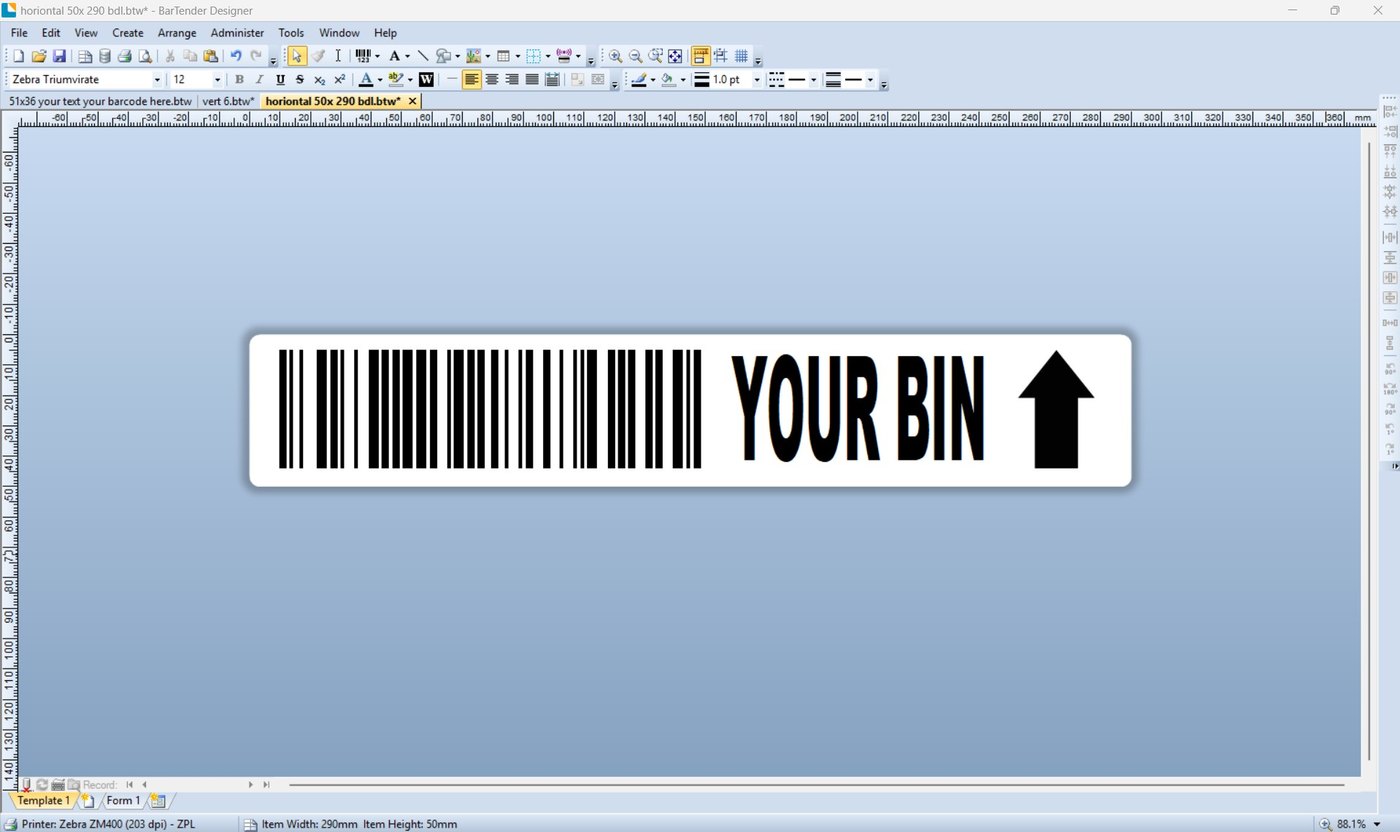
A BarTender Designer window showing a long narrow bin location label, 290 by 50 millimetres, with a barcode, the words YOUR BIN and a large directional arrow.
290 × 50 mm, with an arrow. A location code, a barcode a picker can read from the aisle, and an arrow pointing at the bin it belongs to. Send us the location list and this is what comes back.
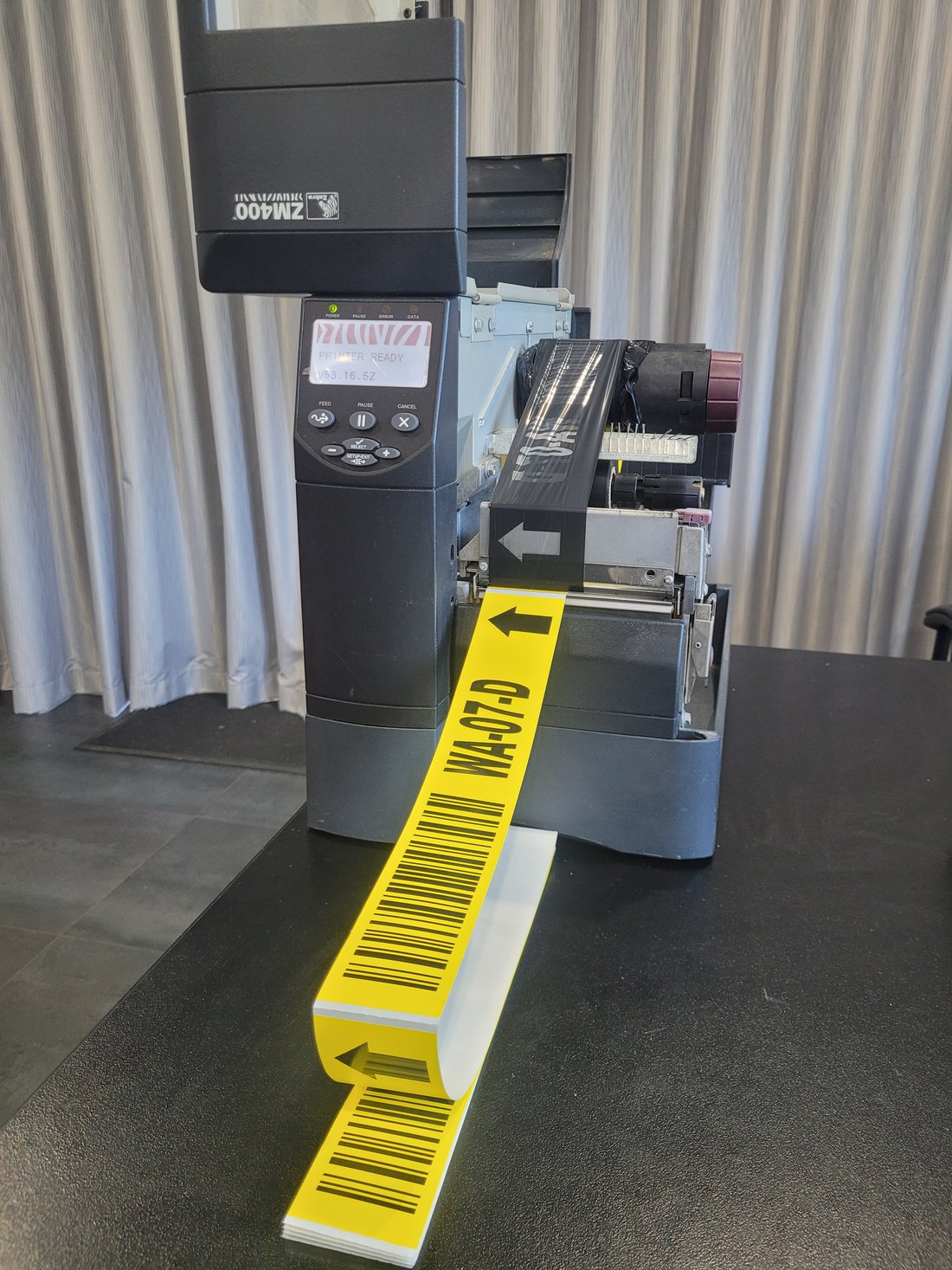
A Zebra ZM400 printing yellow bin location labels which fold flat onto the bench, each reading WA-07-D with a barcode and a left-pointing arrow.
Yellow synthetic, folding flat as it prints. WA-07-D, and the next few hundred behind it. Synthetic because a rack label lives there for years with forklifts passing inches away; fanfold because a run of four hundred locations is not something you want on a roll.
What we need from you

Four things and we can quote it.

01

The numbers

An email is enough for a simple job: the part description, the barcode number, and the size. For a bigger one, send the Excel or CSV and we print straight from it — one row per label, however many rows that is.

Sequential numbering as well, which is how asset labels get done: a start number, a quantity, and every label comes out different. On poly or silver mylar, those last as long as the asset does.

02

What else goes on it

Product name, size, your company name, a batch or date, an arrow. Send the wording, a photograph of a label you already use, or your artwork — any of it works as a guide.

We redraw it in BarTender either way, rather than dropping your file onto a label. A thermal printer is not a laser printer, and a design built for it prints crisply at 203 dpi instead of looking like a squashed PDF.

03

Where the label ends up

A retail pack, a carton in a warehouse, something going outdoors, something that has to come off again. This decides the stock rather than the printing, and it is the question people forget until the label lifts off in a cold room.

04

How many, and when

A thousand is the minimum we like to print. That sounds a lot until you look at it from your end — a thousand labels is a small roll to us and a warehouse full of product to you. A thousand refrigerators is a serious amount of refrigerators.

A day or two for a small job. Within a week if the stock has to come in, and we will tell you which it is when we quote rather than after you have ordered.

Most jobs have no setup charge at all. Email us a part description, a barcode number and “print this on a 51 × 36 label” and you get the standard price per thousand. That is the whole quote. Nothing for artwork, nothing for setting it up.

A setup charge appears when the job is genuinely a job — a spreadsheet with a sheet of bin locations for every state, say, where the layout has to be worked out and samples printed and posted for testing before the run goes ahead. Then it is one hour minimum, plus postage on the samples. You will know which kind of job yours is before you commit to it, because we will have said so.

When to buy the printer instead

Sometimes this is the wrong answer.

If you are labelling every week, if the numbers change constantly, or if you need a label in your hand ten minutes after somebody asks for it, printed labels stop making sense somewhere around the third order. At that point a ZD421 and a roll of stock costs less than another year of print runs, and you stop waiting on us.

We will say so when we see it, and we would rather sell you the printer. The printers are here, the labels and ribbons that feed them are here, and if the label has to outlive the product rather than the season, an aluminium asset label is a different answer again.

Send us a label you already use.

A photograph of one is enough to start. We can tell the size, the stock and usually the printer that made it, and quote you the same thing printed and delivered — or tell you honestly that you are better off printing it yourself.